
Catering Delivery
How to Get Catering Delivered in Houston When Your Restaurant Offers Pickup Only
November 11, 2026 · 8 min read
A practical guide to getting restaurant catering delivered when the restaurant does not deliver: what to agree with the kitchen, how to time the pickup and what to have at hand when you book.
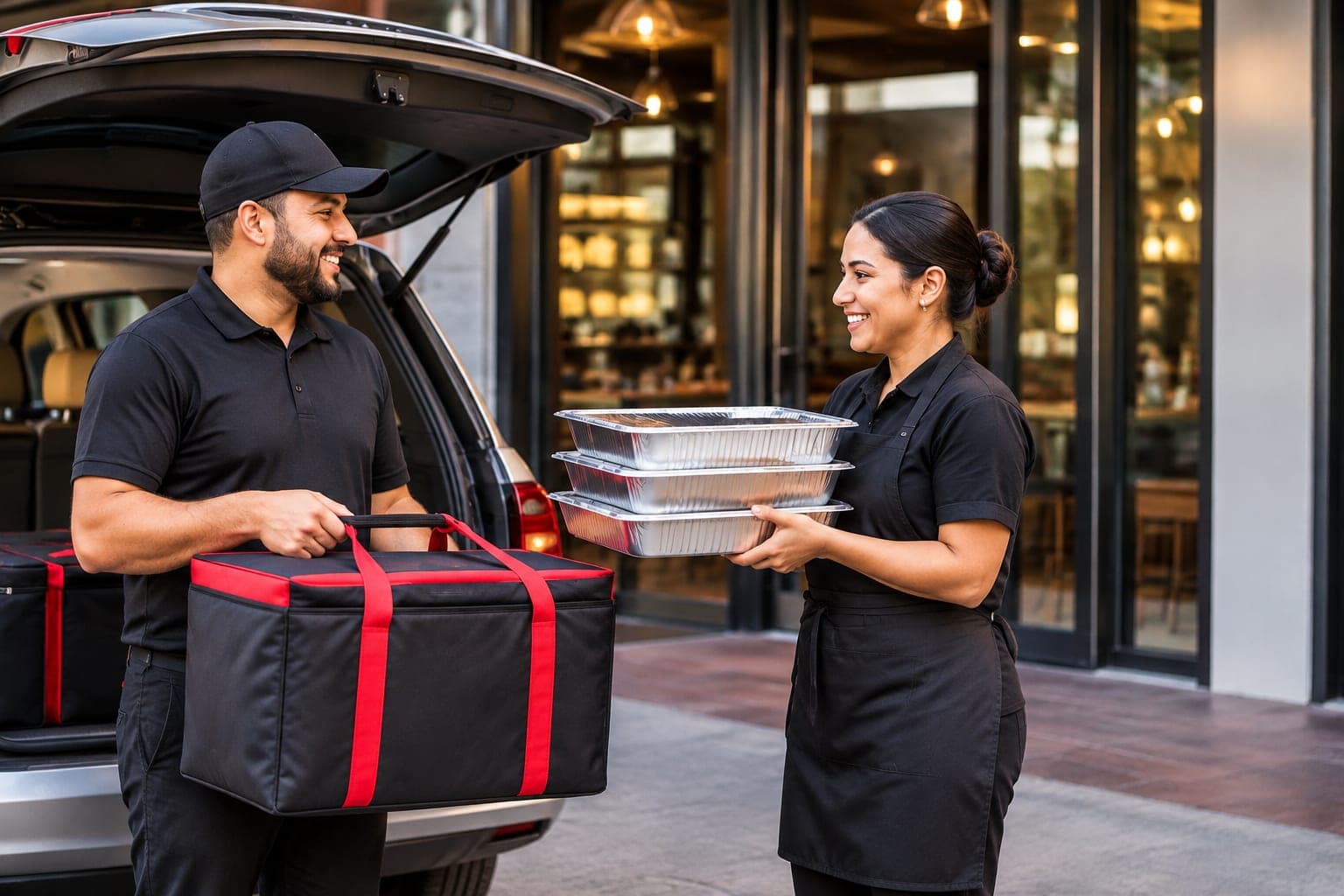
If a Houston restaurant makes the catering you want but offers pickup only, you can still have it delivered. The process has three parts. Order and pay for the food directly with the restaurant. Confirm with them when the complete order will be ready. Then book the transport separately, with a delivery service that collects the order at that time and brings it to your home, venue or office. Houston Delivery Services does this through Consumer Direct: you book online, without an account, and the delivery is scheduled in advance.
The problem: the right restaurant, no delivery
It happens all the time. You know exactly which restaurant you want for the party: the barbecue everyone asks for, the family taqueria, the bakery that does the big dessert trays. They take catering orders. They do not deliver them.
That leaves you planning to drive across Houston on the day of your own event, park, load trays into a car that was not built for them, and drive back while your guests are arriving. For a small order that is an errand. For food for 30 people it is the worst possible moment to be away, and hot trays on a back seat are easy to spill and hard to keep warm.
Step one: order the food directly from the restaurant
Nothing changes here. You call or visit the restaurant and place your catering order with them, the same way you would if you were picking it up yourself.
- Choose the menu and the quantities with the restaurant. They know how much their trays serve.
- Agree on a ready time: the moment the complete order will be packed and waiting.
- Pay the restaurant for the food, on the restaurant's terms.
- Tell them a delivery driver will collect the order, and under what name.
The restaurant is still your restaurant. The price of the food, the menu and any changes to the order are between you and them.
Step two: book the transport separately
The delivery is a second, separate service. You are hiring someone to collect a prepared order and carry it carefully from one address to another at an agreed time.
It helps to be clear about what that service is and is not:
- It is transport and delivery. Houston Delivery Services does not cook, sell or choose the food.
- It is paid separately. The food is paid to the restaurant, the delivery is paid to the delivery service.
- It is scheduled in advance. This is not an on-demand food app that sends whoever is nearby in the next few minutes.
How to book a delivery with Consumer Direct
Consumer Direct is the Houston Delivery Services option for individuals. You do not need a business account, and you do not need to create any account at all.
- Enter your details and the restaurant where the order will be collected.
- Enter the delivery address and the date and time for pickup and for delivery.
- Describe the order: your food order total (the cost of the food on your restaurant order, before sales tax and tip; it is not the delivery charge) and how many packages or trays it has. Enter the total accurately: the quote is prepared from what you give, and the summary shows it back to you before you pay.
- Review your delivery price. The quote is calculated for the route between the two addresses, and you see it before you pay.
- Pay for the delivery securely online. You receive a confirmation by email.
What to have ready before you book
Booking takes a few minutes if you have this in front of you:
- The restaurant's name, full address and phone number.
- The delivery address, complete: street, city, ZIP code, plus the apartment, suite or gate code if there is one.
- The name and phone number of the person who will receive the order. It does not have to be you.
- The pickup time the restaurant confirmed and the time you need the food to arrive.
- The size of the order: how many trays, boxes or bags, and the total you paid the restaurant for the food.
- Instructions for the driver: where to park at the restaurant, which door and who to ask for, and at the destination the floor, suite, reception desk or gate code. The form has an optional field for each.
Both addresses are verified before the price is quoted, so check the street and ZIP code carefully.
How to coordinate the pickup time and the delivery time
Work backwards from when you want to serve, and keep three times apart: the service time, the time you want the food to arrive, and the pickup time at the restaurant.
Here is an illustrative example. It is not a promised schedule. Your guests sit down to eat at 6:30. You want the food at your door by 6:00, which leaves time to set it out. Allow about 15 minutes for parking, the gate or lobby and unloading, so the driver should reach the address around 5:45. If the restaurant is about 30 minutes away at that time of day, add 15 more for traffic and the driver has to leave the restaurant around 5:00. Loading takes a few minutes, so the pickup is around 4:45, and that is the ready time to agree with the restaurant.
Two things make this work:
- Give the restaurant and the delivery service the same pickup time. If the restaurant changes it, update the delivery.
- Leave yourself a margin. Houston traffic at the end of the afternoon is not the traffic of a Sunday morning, and food that arrives a little early is a smaller problem than food that arrives after the guests.
Large orders, trays and prepared food
A catering order is not a bag of takeout, and it helps to treat it differently.
- Ask the restaurant to pack for travel: firm lids, trays that stack, sauces in sealed containers.
- Ask them to keep hot and cold items in separate packages.
- Ask for labels. You, or whoever sets out the food, will want to know which tray is which.
- Confirm that everything is included: serving spoons, plates and napkins if you ordered them.
- Describe the order accurately when you book. The number of trays and boxes tells the delivery service what has to be carried.
If part of the order is temperature-sensitive, such as a cold dessert tray, say so in the delivery instructions or contact us before you book. The delivery ends with an in-person handoff.
Parties, family gatherings and office lunches
The same service covers different occasions. What changes is where the driver goes and who receives the food.
- A party at home. Give the gate code and say where to bring the order. Someone should be there to receive it.
- A venue or a park pavilion. Give the name of the venue and the entrance to use, and check what time you are allowed in.
- An office. Give the floor and suite, and tell the front desk or security that a delivery is coming.
- A surprise. The person who books does not have to be the person who receives. Give the on-site contact's name and number.
Checking coverage, price and order status
Before you place the food order, make sure the delivery is possible.
- Coverage. We deliver across Houston and the surrounding communities, and we collect from restaurants across that coverage area. See the areas we cover, and if you are unsure about an address, ask us first.
- Price. The delivery price depends on your route and your order, and you see it before you pay. Our pricing page explains how it is worked out.
- Status. Your confirmation email carries a private link to follow the delivery, from pickup through to completion.
You can read more about how the service works on the Consumer Direct page, compare the ways to book a delivery, or look for your question in our FAQ.
Frequently asked questions
What should I agree with the restaurant before I book?
Three things: the menu and quantities, the ready time (the moment the complete order will be packed and waiting) and the name the driver will ask for. Ask them to pack for travel, with firm lids, hot and cold items apart and a label on each tray.
Can you pick up from any restaurant?
We collect from restaurants across our Houston coverage area, and you are not restricted to a partner list. If you are unsure whether a particular restaurant or address is covered, ask us before you place the order.
How far in advance should I book?
As early as you reasonably can. Deliveries are scheduled in advance rather than dispatched on demand, so the more notice there is, the more easily the pickup can be arranged around when the kitchen will have your order ready. We cannot promise that a same-day request will be available.
Do I pay the restaurant and the delivery together?
No. They are two separate payments. You pay the restaurant for the food, and you pay Houston Delivery Services for the delivery when you book it.
What if the restaurant is running late?
Tell us as soon as you know. The pickup is arranged around the ready time you gave, so a change at the restaurant should be passed on. Agreeing on a realistic ready time with the restaurant in the first place is the best protection.
What if I enter the wrong food total?
Check it on the summary before you pay: it shows the total you entered, and the quote is prepared from it. If you notice a mistake, correct it before you pay, or contact our team.
Book the delivery when you place the order
The restaurant you want does not have to deliver for you to serve its food at your event. Order the food from the restaurant, agree on a ready time, and book the delivery for that time. Then you can be at the door greeting your guests instead of in traffic with the trays.
Have a date, a restaurant and an address?
Book the delivery online without an account. You see your delivery price before you pay, and you still order and pay for the food directly with the restaurant.
Book Your Catering Delivery